Showing posts with label Windows. Show all posts

IIT Madras Alumnus Pavan Davuluri Is New Head of Microsoft Windows and Surface

IIT Madras Alumnus Pavan Davuluri Is New Head of Microsoft Windows and Surface

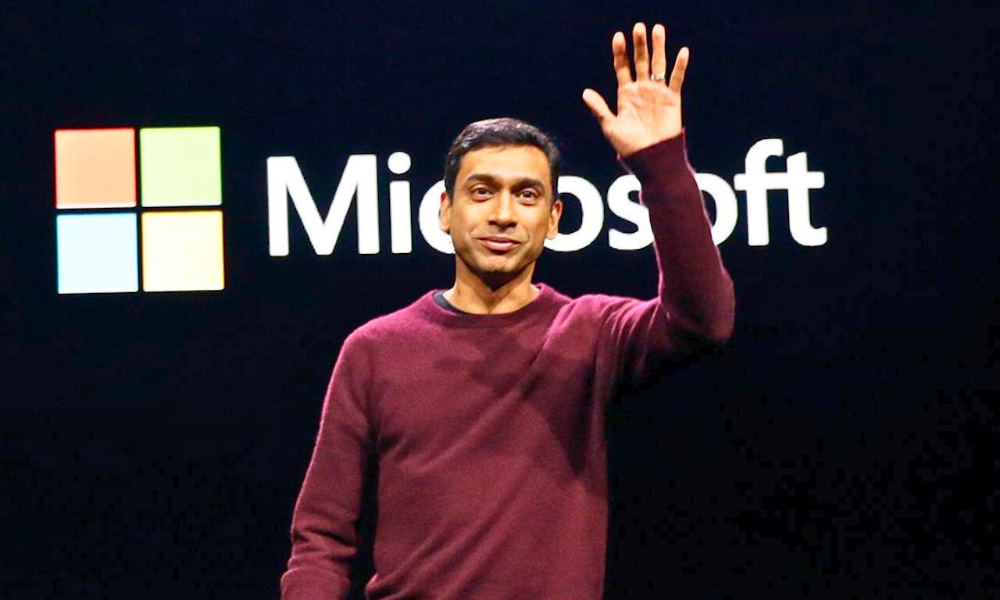
Pavan Davuluri, an alumnus of IIT Madras, has been appointed as the new head of Microsoft Windows. Pavan Davuluri will lead the combined Windows and Surface teams at Microsoft.

Davuluri has a history of overseeing Microsoft's hardware endeavors and will now be in charge of Windows engineering as well. This strategic move follows the internal merging of the Windows and Surface teams, marking a significant leadership reshuffle within Microsoft. Davuluri's experience and expertise are expected to play a key role in the development of both Windows and Surface products moving forward.

This follows the departure of Panos Panay and represents a significant leadership change within the company. Davuluri has been with Microsoft for over two decades and has previously overseen the company's hardware endeavors, including efforts to optimize Windows for Arm-based devices. His new role involves spearheading development on both Windows and Surface, marking a return to the earlier structure within Microsoft's Engineering and Devices organization.

Pavan Davuluri has been involved in several significant projects at Microsoft including the ones below –

Optimization of Windows for Arm-based devices: Davuluri played a key role in adapting Windows to run efficiently on Arm-based processors, which are known for their power efficiency.

Development of Surface processors: He oversaw the development of processors for the Surface line of devices in collaboration with companies like Qualcomm and AMD¹.

Contributions to Bing, Edge, and Copilot: His work also extended to Microsoft's search engine Bing, the Edge browser, and the AI-based tool Copilot.

These projects reflect his broad experience and expertise in both hardware and software, as well as his ability to lead teams in developing integrated solutions for Microsoft's products.
Microsoft Announces AI-powered Copilot – A Free Windows 11 Update Rolling Out from 26 Sept.

Microsoft Announces AI-powered Copilot – A Free Windows 11 Update Starting 11 September

Technology giant Microsoft has just announced — Copilot, an Artificial Intelligence (AI) packed feature which Microsoft dubbed as "your everyday AI companion". Copilot will uniquely incorporate the context and intelligence of the web, work data and what the users are doing in the moment on their PCs.

Copilot will be available in Windows 11, Microsoft 365, and in the web browser by Microsoft i.e. Edge and Bing.

Copilot will begin to roll out in its early form (preview) as part of a free update to Windows 11, starting 26 September — and across Bing, Edge, and Microsoft 365 Copilot this fall (September - November).

Calling the next update as it's most ambitious yet, Microsoft is releasing the Windows 11 Update which will have over 150 new features, bringing the power of Copilot and new AI powered experiences to apps like Paint, Photos, Clipchamp and more to Windows PCs.

The Artificial Intelligence (AI) -powered Copilot will work as an app or reveal itself when the users need it with a right click. Microsoft said it will continue to add capabilities and connections to Copilot across to our most-used applications over time in service of our vision to have one experience that works across your whole life.

Microsoft also announced other new experiences and devices. Basically, the company has infused AI into every utilities bundled with Windows OS, such as Photos, Paint, Outlook, Notepad, Windows Backup and File Explorer. 

Bing will add support for the latest DALL.E 3 model from OpenAI and deliver more personalized answers based on your search history, a new AI-powered shopping experience, and updates to Bing Chat Enterprise, making it more mobile and visual.

Microsoft has also announced that Bing Chat Enterprise is now available in the Microsoft Edge mobile app. It's also bringing support for multimodal visual search and Image Creator to Bing Chat Enterprise. With this, users can work with the ability to find information using images and creating them.

Microsoft 365 Copilot will be generally available for enterprise customers on Nov. 1, 2023, along with Microsoft 365 Chat, a new AI assistant that will completely transform the way you work.

Some of the new features in the latest update for Windows 11 —

  • Paint has been enhanced with AI for drawing and digital creation with the addition of background removal and layers as well as a preview of Cocreator that brings the power of generative AI to the Paint app.
  • Photos has also been enhanced with AI including new features to make editing your photos a breeze. With Background Blur you can make the subject of your photo stand out quickly and easily. The Photos app automatically finds the background in the photo, and with a single click, instantly highlights your subject and blurs out the background. The update will have improved search, with photos stored in OneDrive (home or personal) accounts, users can now quickly find the photo they're looking for based on the content of the photo. Users can also now find photos based on the location where they were taken.
  • Snipping Tool now offers more ways to capture content on your screen – with this update you can now extract specific text content from an image to paste in another application or, you can easily protect your sensitive information with text redaction by using text actions on the post capture screen. And, with the addition of sound capturing using audio and mic support, it’s easier to create compelling videos and content from your screen.
  • Clipchamp, now with auto compose, helps you with scenes suggestions, edits and narratives based on users' images and footage automatically so the users can create and edit videos to share with family, friends, and social media like a pro.
  • Notepad will start automatically saving your session state allowing you to close Notepad without any interrupting dialogs and then pick up where you left off when you return. Notepad will automatically restore previously open tabs as well as unsaved content and edits across those open tabs.
  • With the new Outlook for Windows, you can connect and coordinate your various accounts (including Gmail, Yahoo, iCloud, and more) in one app. Intelligent tools help you write clear, concise emails and seamlessly attach important documents and photos from OneDrive.


  • Modernized File Explorer – The next Windows 11 Update is introducing a modernized File Explorer home, address bar and search box all designed to help you more easily access important and relevant content, stay up to date with file activity and collaborate without even opening a file. Also coming to File Explorer is a new Gallery feature designed to make it easy to access your photo collection.
  • New text authoring experiences to voice access and new natural voices in Narrator, continuing our ongoing commitment to making Windows 11 the most accessible version of Windows yet.
  • Windows Backup makes moving to a new Windows 11 PC easier than ever. With Windows Backup, transitioning most files, apps and settings from one PC to another, is seamless so everything is right where you left it, exactly how you like it. 

Microsoft Launches Windows 365, A Cloud PC Letting Users Run Windows on Any Device - Smartphones, Tablets or Desktop

Tech giant Microsoft announced a new product Windows 365.  Microsoft claims that Windows 365 is the world’s first cloud PC, allowing users to access this Windows through a web browser. Microsoft's goal is to have their windows run on every computer system. Under this, the company is now planning to give access to its popular operating systems Windows 10 and Windows 11 through a web browser.

A cloud PC is a personalized desktop, apps, settings, and content streamed securely from the cloud to the devices, be it a smartphone, a tablet or a desktop PC. It enables you to decrease costs while lowering the complexity of your environment as you deploy and manage virtual endpoints in Microsoft Endpoint Manager. No additional virtual desktop infrastructure (VDI) expertise or resources are needed.


Windows 365 enables you to:
  • Procure, provision, and deploy in minutes, with optional automated OS updates.
  • Offers user anywhere access to their personalized Windows desktop experience.
  • Tailor compute and configurations for an elastic workforce.
  • Pick up where you left off on the device of your choice.
  • Optimize experiences on Windows endpoints.
  • Scale confidently with per-user pricing.
The Windows 365 service will be made available to businesses starting from August 2, and it will charge organizations on a monthly per user basis. Microsoft hasn’t revealed how much it will charge for providing the service.

In the new version of cloud computing and new version of  "stay from home", Microsoft is now giving the corporate sector the option of accessing its operating system through a web browser under the cloud computer scheme. These features will be available to companies in various subscription packages.

Microsoft general manager Wangui Maklevi said, "Windows 365 will provide instant boot experience features. This instant boot up will give the company's employees access to Windows on any device that supports web browsers." 11 offers great service on computers, but the company is betting it to target other computer operating systems such as Mac OS, Linux, iPads and even Android devices. Microsoft 365 Edition can be used from any device. Which can have the support of modern web browsers such as Microsoft's Edge browser or Google Chrome browser.

To use the new version of Microsoft OS, your device should have minimum of 2 GB RAM and 64 GB of internal storage of 256 GB. The company will launch two versions of this Windows in the market which will be Business and Enterprise. This Windows will be available for Business only. Both these versions will require 12 configurations and any business can choose either of these two. 

Microsoft Confirms 'PrintNightmare' Vulnerability Affecting All Version of Windows OS


Microsoft confirmed that a zero-day vulnerability known as PrintNightmare, which can be exploited to enable remote code execution on a target device, affects every version of Windows.

Uncovered earlier this week, after security researchers, at Sangfor Technologies, accidentally published a proof-of-concept (PoC) exploit, the vulnerability allows attackers to remotely execute code with system-level privileges, which is as critical and problematic as you can get in Windows.

The vulnerability is found in code related to the Windows Print Spooler executable that handles pretty much every aspect of the process involved with printing something from a PC. Microsoft said that by default Windows Print Spooler launches alongside Windows and only closes when the operating system itself is shut down. That makes it an attractive target for attackers.

PrintNightmare is already being exploited in the wild, Microsoft said, and the security patches released on June 8 won't fully protect Windows devices from those attacks. That doesn't mean those patches should be avoided—they can still defend against other exploits, including those involving CVE-2021-1675. They just don't fully address exploits involving PrintNightmare.

Confirming the vulnerability, Microsoft said in a security bulletin -
A remote code execution vulnerability exists when the Windows Print Spooler service improperly performs privileged file operations. An attacker who successfully exploited this vulnerability could run arbitrary code with SYSTEM privileges. An attacker could then install programs; view, change, or delete data; or create new accounts with full user rights.

Microsoft further said that it is aware of and investigating a remote code execution vulnerability that affects Windows Print Spooler and has assigned a security identifier code - CVE-2021-34527 - to this vulnerability. This is an evolving situation and we will update the Common Vulnerabilities and Exposures (CVE) as more information is available.

Microsoft To Unveil Next Generation of Windows This Month


Microsoft will unveil the next generation of Windows on June 24. The announcement comes a week after the company's CEO Satya Nadella teased major upgrades to the PC operating system for developers and creators.

Microsoft will announce about the event at the Windows event, which will be held on June 24 at 11am ET, and will going to be a virtual event, amid COVID pandemic. The event, as per Microsoft CEO Satya Nadella, going to be the biggest update to Windows in over a decade.

Nadella has also promised to unlock a better economy for developers and creators within Windows itself.

Microsoft has also been working on a new app store for Windows in recent months, and rumours have suggested Microsoft will open its store up to all apps and rival payment platforms.

Codenamed 'Sun Valley', the next-gen Windows will see some significant UI changes to Windows under it.

The company confirmed last month that Windows 10X, its OS originally built for dual-screen devices, will no longer ship. The company is now rolling the visual elements of Windows 10X into the main version of Windows 10 instead.

It is also speculated that the new version of Windows is expected to come with visual changes such as new icons, an improved file explorer, and improved Bluetooth audio support.

Windows 10 Update Woes Reveal Huge Side-effect of Technological Advancement

Recent Windows 10 updates have fallen far short of the mark when it comes to a bug-free experience. The data deletion issue and massive rollback of version 1809, also known as the October 2018 update, and subsequent re-release that revealed further issues with iCloud and graphics driver support shows how stretched Microsoft’s Windows dev team really is - now that they’ve made a hard commitment to releasing two major updates every year.

If you’ve already installed the latest update for version 1809 (OS Build 17763.134 release on November 13), you may still be facing issues with older Radeon graphics cards using HD2000 and HD4000 GPUs. The worst of it is that Microsoft may well cease sending security updates for that particular configuration.

Windows 10 version 1607 went through a similar block with Intel Clover Trail processors, but in that instance Microsoft had already promised security updates even if users weren’t able to upgrade to a newer build.

This time, it’s possible that users who are still on version 1803 and can’t get the 1809 update will eventually stop receiving security updates. There’s no official word on that, but that could be the direction Microsoft takes.

One of the things we need to keep in mind here is that when it comes to driver support or software upgrades, older hardware is naturally pushed to the bottom of the priority list. That’s not unusual. As a matter of fact, that’s the core of Apple’s strategy of regularly dropping iOS upgrade eligibility for older iDevices. The fallout effect is that users with older devices are encouraged to keep upgrading their hardware every few years even though the device itself might be working just fine.

The Larger Security Problem that Windows 10 Update Issues Highlight


From a security standpoint, this issue pales in comparison with what will happen to Windows 7 users when the extended support window closes on Jan 14, 2020. That’s a little more than a year from now, but Windows 7 is still around 40% of the install base of desktop users who still haven’t upgraded to Windows 10 more than three years after the initial public release.

Much of that clinging-on to Windows 7 has to do with Windows 10 not supporting aging hardware, but it’s also because of app support - or lack of it - for non-UWP apps on Windows 10. In simple terms, a lot of developers of older desktop apps haven’t created the Windows App packages necessary to port to Windows 10.

Come 2020, Windows 7 users will no longer have extended support, and that will make them susceptible to security incidents once the updates stop coming. Mainstream support ended three years ago, so that means a significant user base is already exposed to cybersecurity risks.

From purely a security standpoint, Microsoft’s exclusion of older devices and hardware with the 1809 update could pose a major problem to users over the next year to two years. OS-level vulnerability offers a larger surface area for cyber attacks. It’s not like Windows password security where you can simply use a strong and unique password to protect your system and even reset it with password recovery software when you forget it. Flaws in older versions of any operating system that’s not supported with regular patches always represent a significant threat, especially when it can potentially affect a relatively massive user base of hundreds of millions of Windows 7 users.

Essentially, that’s exactly what Windows 10 users stuck on the 1803 update are going to experience down the road, and it’s going to happen again with future Windows 10 updates. As long as software keeps pulling ahead of hardware, this is a problem that’s going to keep growing. Let’s take an example from the Apple ecosystem. There are millions of first generation iPads that still work great but are restricted to iOS 5.1.1. That means they haven’t gotten any security updates for the past six years or more, since iOS 6 was released in June 2012.

This is not a problem we can afford to ignore. As emerging technologies like AI and VR/AR/MR keep pushing the boundaries of hardware capability and software performance, hundreds of millions of devices will continue to keep falling outside the security umbrella. This offers bad actors a growing pool of vulnerable, Internet-connected devices to target.

In addition, part of Windows 10 users complained password is no longer accepted when the update was completed. However, this could be fixed with the password reset disk or third-party apps like Tunesbro WinGeeker.

Security is one of the biggest concerns in this age of information. The more we achieve at the bleeding edge of technology, the more we leave behind in terms of unprotected devices. This debris littering our digital landscape is only going to get denser with time, and the recent problems with Windows 10 updates merely serve to reiterate the need to address this burgeoning issue.

Microsoft Introduces Windows 10 - One OS for All Devices

Introducing Windows 10

Yesterday, in Windows event held in San Francisco Microsoft unveiled its best Windows OS yet, called - Windows 10. Known until now as codename Threshold, the successor to Windows 8 will officially be known as Windows 10 and NOT Windows 9.

Windows 10 "represents the first step of a whole new generation of Windows," writes Terry Myerson, executive vice president, Operating Systems, in a blog post. "Windows 10 unlocks new experiences for customers to work, play and connect. Windows 10 embodies what our customers (both consumers and enterprises) demand and what we will deliver."

windows 10 one OS for all devices

Windows 10 will run across an incredibly broad set of devices - computers, tablets, phones, Internet of Things (IoT), to servers in enterprise datacenters worldwide. "Some of these devices have 4-inch screens – some have 80-inch screens – and some don't have screens at all," he writes. "Some of these devices you hold in your hand, others are 10 feet away. Some of these devices you primarily use touch/pen, others mouse/keyboard, others controller/gesture – and some devices can switch between input types."

Windows 10 will be "built from the ground-up for a mobile-first, cloud-first world. This new Windows must help our customers be productive in both their digital work and their digital life. This new Windows must empower people and organizations to do great things."

Windows 10 will "deliver the right experience on the right device at the right time. It will be our most comprehensive platform ever."

Windows 10: familiarity and consistency across devices


windows-10_preview

Windows 10 adapts to the devices customers are using — from Xbox to PCs and phones to tablets and tiny gadgets — and what they’re doing with a consistent, familiar and compatible experience, enabling even greater productivity. Windows 10 will run across the broadest range of devices ever from the Internet of Things to enterprise datacenters worldwide. Microsoft is also delivering a converged application platform for developers on all devices with a unified app store. Developers will be able to write an application once and deploy it easily across multiple device types, making discovery, purchase and updating easier than ever for customers.

Windows 10: designed for the challenges of modern business


Windows 10 builds nearly everything that businesses need right into the core of the product — including enterprise-grade security, identity and information protection features — in ways that can reduce complexities and provide better experiences than other solutions. One area of advancement is in the work Microsoft has done with user identities to improve resistance to breach, theft or phishing. Windows 10 will also help advance data loss prevention by using containers and data separation at the application and file level, enabling protection that follows the data as it goes from a tablet or PC to a USB drive, email or the cloud.

Management and deployment have been simplified to help lower costs, including in-place upgrades from Windows 7 or Windows 8 that are focused on making device wipe-and-reload scenarios obsolete. Businesses will also have the flexibility to choose how quickly they adopt the latest innovations and influence continued improvements. In addition, organizations will be able to customize an app store specific to their needs and environment. The intent is an app store that will allow for volume app licensing, flexible distribution, and the ability for organizations to reclaim or reuse licenses when necessary.


Technical preview PC productivity


The early technical preview of Windows 10 demonstrates new levels of flexibility, navigation and familiarity through the Windows experience. Features include these:

Expanded Start menu. The familiar Start menu is back, providing quick one-click access to the functions and files that people use most, and it includes a new space to personalize with favorite apps, programs, people and websites.

Apps that run in a window. Apps from the Windows Store now open in the same format that desktop programs do. They can be resized and moved around, and have title bars at the top allowing users to maximize, minimize and close with a click.

Snap enhancements. Working in multiple apps at once is easier and more intuitive with snap improvements. A new quadrant layout allows up to four apps to be snapped on the same screen. Windows will also show other apps and programs running for additional snapping, and it will even make smart suggestions on filling available screen space with other open apps.

New Task view button. The new Task view button on the task bar enables one view for all open apps and files, allowing for quick switching and one-touch access to any desktop created.

Multiple desktops. Instead of too many apps and files overlapping on a single desktop, it’s easy to create and switch between distinct desktops for different purposes and projects - whether for work or personal use.

Open and collaborative development


The introduction of the Windows Insider Program demonstrates Microsoft's continued commitment to working closely with customers to help shape the future of Windows. Windows Insiders will be able to give feedback on early builds of the product throughout the development cycle. The program will include various ways for Windows Insiders to engage in a two-way dialogue with Microsoft, including a Windows Feedback app for sharing suggestions and issues and a Windows Technical Preview Forum for interacting with Microsoft engineers and fellow Insiders. More information on the Windows Insider Program and the technical preview can be found at http://preview.windows.com.

Microsoft should dump Windows Phone says Robert Scoble

Robert Scoble

Robert Scoble, the 49 year tech Pundit who became famous as an early adopter of the much popular Google glass has some advice for Microsoft, the tech giant. According to Robert, who was also an ex-evangelist at Microsoft’s technology for Windows, it’s time for the tech giant to ditch its Windows Phone.

In an interview given to GeekWire, Robert mentions that the train has sailed for Windows and it’s time for Microsoft to give up its Windows Phone, go Android, and embrace and extend as the company did with Internet. He also mentions that he has given this particular advice a lot of times to the company but the company just doesn’t listens to him.

In the interview, Roberts says that currently the biggest problem with Microsoft as a company is that it’s committee driven and slow. In a big company like Microsoft with a lot of people, workers become comfortable and don’t contribute as much as they would have done in a startup. Robert adds that he has some hopes for Microsoft under the leadership of Satya Nadella.

He further attributes Microsoft’s 4 percent market share for mobile to the reason that it has no applications and there’s no love for developers of apps.

Robert applauds Satya for Microsoft’s recent deal with Apple where Apple has agreed to get rid of Google and put office instead. He thinks Microsoft’s presence in the popular iPhone will benefit the company a lot.

During his interview, he also brings out the issue of which out of the two San Francisco and Seattle is the centre of the world.  He strongly feels that Microsoft isn’t doing well because of it being based in Seattle and not San Francisco. According to him, San Francisco has 6,000 times more tech companies than Seattle. Further, all the money is in San Francisco when you look at the venture fund maps. The PR is in San Francisco. The centricity of the whole industry is in San Francisco.

Robert feels that the tech giant needs to get out of Seattle and Seattle hackathons where there are Windows phones because it’s a Windows world. They need to go to other parts of the world for hackathons and convince them to get a Windows phone.

Microsoft Clarifies: Windows Most Secured OS and better than Anyone

Microsoft Clarifies Windows Most Secured OS and better than AnyoneAfter much of hype about Microsoft Windows security issues that started over news that Google quitting Windows OS for its internal use over security concerns that leads to its Chinese hack earlier, Microsoft through its Windows Blog clarifies that Windows is indeed a secured OS and that's too more secured than any OS in the world and even better than Google Apps in security and privacy concerns.

Brandon LeBlanc from Windows Team Blog point out few interesting points, as per him actual facts doesn't go with assertion that were propagated as news overnight by media such as Financial Times which states that Windows is vulnerable to attacks on the contrary he affirms that Windows has surpassed all others when it comes to security and privacy concerns.

Some of the assertive points that Brandon stated for Windows overlooked security concerns are;

CNET, a computer & tech news portal published an interview with a Pro Hacker Marc Maiffret named as People Magazine's 30 People Under 30 admits that Windows is doing better than any one in industry when it comes to security adding that Adobe and Apple must learn from Microsoft's past.

Mashable a popular social media blog published a post in March this year that states that Yale University is holding back on Google apps on its process of switching its mail system to Gmail and education package to Google Apps over security risks and risk issues on how Google handles the data in its cloud.

Inforworld, an another technology and news portal published a report yesterday that Mac OS is under attack by high-risk spyware that was earlier a Windows varient can be future risk for Mac OS that spreads via a number of freely distributed Mac applications and screen savers found on a variety of Web sites.

Microsoft through its Windows blog affirms that Security is at highest priority for their customer and has always surpassed others as far as focus and investments are concerns in security, privacy and technological issues.

Brandon also describe some of the things Microsoft has invested efforts over security of their customers;


  • We ship software and security updates to our customers as soon as possible through Windows Update and Microsoft Update to keep our customers safe.

  • We highly recommend our customers enable Automatic Update to ensure they are protected from attacks.

  • With Windows 7, we added improvements to BitLocker for disc encryption (we also introduced BitLocker-to-Go for external USB devices), and added enhancements to the built in Windows Firewall for better protection.

  • Windows 7 has Parental Controls built in that can be combined with Windows Live Family Safety to create a safer experience on the PC for children.

  • Windows 7 comes with Internet Explorer 8 which includes SmartScreen Filter that protects against malicious advertisement pop-ups, twitter like phishing scams etc.

  • Windows 7 uses Address Space Layout Randomization (ASLR) as well by randomizing data in memory.


Market Reports

Market Report & Surveys
IndianWeb2.com © all rights reserved